Upload your Trading 212 export
Drop one or more CSV exports. Vizvest merges them, removes duplicates and builds your dashboard.
Drop your CSV files here
or browse your device
CSV only, up to 5 MB per file
Your file is read in your browser and never uploaded
For information only, not financial or tax advice. Figures may contain errors, so check them against your Trading 212 statements. Terms
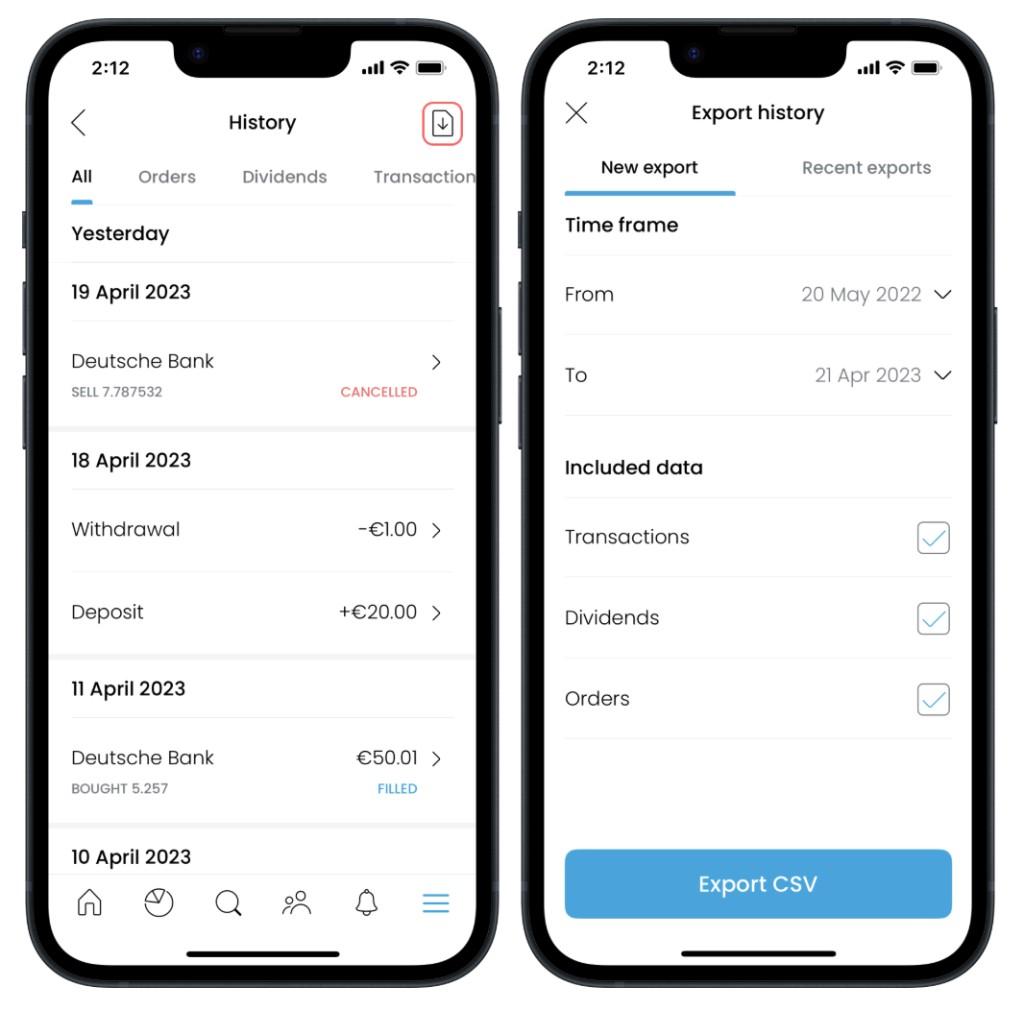
- In the Trading 212 app, open History.
- Tap the export icon in the top right corner.
- Pick a time frame (up to 12 months per file) and keep Transactions, Dividends and Orders ticked.
- Tap Export CSV, then drop the file here. Export several ranges to cover more than a year.